Thursday, November 17, 2016

Have you ever know about some baby giraffe facst?

Any baby is cute,baby giraffe too. They can make a joke all day so thay why we have so many factoflife for giraffe. You can find in my post or my blog for more imformation.
Fun information and facts about giraffe for kids
Fact #1
The giraffe is the tallest mammal on earth. New-born baby giraffes are even taller than mosthumans. And males can grow up to 5.5 meters (18 feet) tall.
Fact #2
The neck of a giraffes is too short to reach the ground. So it has to awkwardly spread its front legs or kneel to reach the ground for a drink of water.


A giraffe face
Fact #3
Like snowflakes and human fingerprints, no two giraffes have the same spot pattern.
Fact #4
Baby Giraffes can stand within half an hour of being born. After only 10 hours, they can actually run alongside their family.

A baby giraffe
Fact #5
Giraffes only need 5 to 30 minutes of sleep in a 24-hour period.
Fact #6
Giraffes only need to drink once every few days. Most of their water comes from plants they eat.
Fact #7
The idea that giraffes make no sound is untrue. When giraffes snort, bellow, hiss, etc, they make flute-like or low pitch noises beyond the range of human hearing.
Fact #8
Before mating, the female giraffe will first urinate in the male's mouth.


Giraffe couple in love
Fact #9
Giraffes are ruminants. This means that they have more than one stomach. In fact, giraffes have four stomachs, the extra stomachs assisting with digesting food.
Fact #10
Drinking is one of the most dangerous times for a giraffe. While it is getting a drink it cannot keep a look out for predators and is vulnerable to attack.
Fact #11
Male giraffes sometimes fight with their necks over female giraffes. This is called “necking”. The two giraffes stand side by side and one giraffe swings his head and neck, hitting his head against the other giraffe. Sometimes one giraffe is hit to the ground during a combat.
Fact #12
A giraffe's habitat is usually found in African savannas, grasslands or open woodlands.

Fact #13
The hair that makes up a giraffes tail is about 10 times thicker than the average strand of human hair.
Fact #14
Giraffes have a great sense of sight and smell and are able to run at speeds up to 35 miles per hour.

Fact #15
However, a baby giraffe in the wild is vulnerable because it has a shorter gait and is unable to keep up with the herd if a predator is detected. In the days and weeks following a birth, a mother giraffe will sometimes leave her baby hidden in tall grass for a few hours while she eats and roams.
Read more topic at preschool, go keyboard , line,....
,

Wednesday, September 14, 2016

I Love Preschool Offers

I’ve always believed that tablets and phones are great learning tools for kids, and there certainly isn’t a shortage of educational apps available on Google Play.
This means parents can always find something that’ll both entertain and educate their child without needless distractions.
Reviewed by Sarah Hanlon
I Love Preschool features tons of fun and educational activities for kids to complete.
Each activity is designed to stimulate learning and creativity, meaning your child will have fun figuring out how to do new things and complete tasks.

Concept and Functionality
When it come to children’s games, the one thing I focus heavily on is usability. It’s amazing how many games are too complicated and tricky to figure out, and kids just want to have fun.
I Love Preschool, by Kids Games Projects, is just the opposite; menu navigation is very easy and instructions are clear and easy to understand.
Each level in I Love Preschool features a text and audio overview of how to complete it, and kids can navigate through the menu via left and right arrow buttons.
Activities are depicted by picture only, but that shouldn’t be a problem for kids who are just exploring the app and playing games at random.

Features
I Love Preschool Android App

I’ve mentioned multiple times that I Love Preschool features many activities for kids to enjoy, but just how many are there? Currently the number sits at just over 50, which means it’s very unlikely that your child will run out of things to do anytime soon.
It also means that the developer can freely add new activities in future updates.
I Love Preschool is the perfect app to bring along on your summer vacation trip to entertain and educate your young ones.
It also features multilingual support for languages such as Spanish, German, French, Portuguese, Russian, Italian, and Polish. Changing the language also changes both text and audio narration for activities, which is perfect for parents of multilingual kids. They can learn new words this way and experience the language they’re learning in a natural way.

Value
I Love Preschool is available to download from Google Play for free and currently doesn’t include in-app purchases. The developer mentioned advertisements, but I didn’t come across any during my review period.
If ads are enabled, it will likely deter parents from downloading the game and handing it to their child, but the developer mentioned that ads can be disabled via in-app purchase when they’re added.
Personally I’d rather pay a few bucks for the game simply because it offers tons of things for kids to do and is definitely a quality app.
Overall, I Love Preschool is worth checking out if you’re the parent of a preschooler and you actively use your Android device as a learning tool.
It’s very fun to play, easy to figure out, and kids have tons of cool activities at their disposal.

Tuesday, August 23, 2016

GO Keyboard - One of 2015 Best Apps on Google Play

GO Keyboard is nothing but the best keyboard on Google play with more than 200 million users all over the world. Have you tried this one on your device?

Now, you must wonder why is GO Keyboard the best keyboard, right? That's because:
  • It's the Most Useful Helper-Is your typing really slow? Let GO Keyboard help you and make your typing fast and correct!
  • It's the Coolest Friend-Lacking fun for taping and want to be different? Just follow us with personalized emoji keyboard and enjoy smiley emoji, sticker, font to key tone with your friends anytime!
  • It's a keyboard who understands you most-Bored with plain android keyboard? There are 10000+ colorful themes, 100+ fonts and you can slide to input smoothly!
GO Keyboard supports more than 60 languages, including English-EN, Arabic-AR, Croatian-HR, Czech-CS, Chinese-CN, Dutch-NL, etc, together with thousands of themes. The emoji, emoticons and sticker in the keyboard are compatible across all popular apps.


Big features of the app:

★ FREE emoji, emoticons, sticker and other smiley faces (ʘ‿ʘ)
It is free to use a pack of 800 emoticons, emoji, and sticker.

★ PERSONALIZED EXPERT 
There are 10000+ colorful themes compatible with emoji keyboard and new themes are delivered weekly! You could also set keyboard background wallpaper.

★ WORD CORRECTION
Smart enough to recognize mistyping, provide correction suggestions and make your typing easy.

★ POPULAR FONTS
We offer you over 100 beatiful fonts including Toshiyana, Rayna, Elgtion, Basileia and other popular font.

★ VARIOUS LAYOUTS, gesture typing and support for tablet device 
It provides various layouts such as QWERTY keyboard, QWERTZ and AZERTY keyboard for pad tablet.

★ TYPE what you speak
Free you with voice input. The more you use it, the better it recognizes what you want and gives you accurate word suggestions.

Now, you find it great, too? For more apps and game reviews, you can check out this game review journal for the latest updates right now.

Thursday, August 18, 2016

High-Powered Flashlight App Review

Developed by iHandy Ltd., High-Powered Flashlight App is definitely one of very great flashlight apps you should have for your Android devices. Why? Here are some quick reviews about this app for you to see.

Well, what do you expect from a great flashlight app? That's Bright, Fast, and Simple to use, right? They are also what you'll get from this app. It's also considered one of the most elegant and functional LED flashlight apps, ever! And it's the ONLY flashlight app that goes with a compass, giving you the direction in the darkness. So, don't miss it!

Features coming with this app:
• Brightest LED Flashlight instantly ON
• Always-On compass
• Strobe mode with 10 different frequencies
• Built-in SOS signal
• Intuitive and elegant UI design

Now, you find this app so useful and you want to have it?

For more android apps and games reviews as well as latest information about new online games for kids, puzzle games, sport games, weather apps, ..., you can visit this review journal right now.

Wednesday, August 3, 2016

Line Corporation is the year's biggest market debut for a tech company

Line Corporation, maker of the popular Japanese messaging app Line, arrived on the New York Stock Exchange (NYSE) Thursday morning in what turned out to be the biggest market debut of a tech company this year.

Trading under the ticker symbol "LN," Line opened at $42. Despite suffering a slight dip, it ended the first day at $41.58, up 27% from its IPO price. Overall, that gives Line a market value of approximately $8 billion, reports CNN.

The company raised $1.3 billion from selling shares on the stock market in both New York and Tokyo, a sign of solid investor confidence in the app, despite the western dominance of its rival Facebook Messenger.
Reports of an expected Line IPO first began making the rounds two years ago. In June, Line officially announced that it would seek approximately $1 billion in listings on the NYSE and the Tokyo Stock Exchange.

Crucially, for Line's main product, its stock market debut announces the app's arrival on the world stage amidst a heated battle for users with its more popular rivals Messenger, and WhatsApp, both owned by Facebook.

Despite those two competitors boasting a combined total of almost 2 billion users, Line has managed to carve out a niche in Asia. The app claims to have 218 million users, with 152 million of its total user base scattered across four countries in Asia, including its native home of Japan. Line has also successfully implemented an aggressive monetization policy, charging for its vast range of cute stickers, and games. In its recently announced first quarter earnings, Line claimed to have generated more than $300 million, a 21-percent increase over the same period in the previous year.

The competition is also fierce in its biggest region, with counterparts Viber (owned by Japanese firm Rakuten), and WeChat (owned by China's Tencent) vying for users. Line will be hoping the funding from the IPO will help it gain a foothold internationally, opening the doors to new markets.

Alongside its emoji empire, Line has kept up with its rivals by adding a raft of new features including a ride-hailing option, online payments, bots, end-to-end encryption, and spinoff apps. As is now common with most messaging platforms, it also offers voice and video calls.

Check back to always get updated for latest digital, technology trends from us. You can find many device, app review to pick up what is the best for you.

NAMOO - Wonders of Plant Life - Best new educational apps for kids

Namoo is a fun, engaging exploration of the life of plants. Discover how leaves make food, experiment with underground root systems, or play with the parts of a plant cell! Interactive 3D simulations and straightforward language enable an immersive experience for curious minds.

There are many basic yet surprising things to learn about the inner workings of trees and flowers. How do plants turn carbon dioxide into food? How do flowers become fruits? Through the use of colorful interactive models, Namoo will help students gain a deeper understanding of the science at work. Namoo goes beyond the textbook! It is a multi-layered journey where you can play, experiment, and learn with ease.

Namoo features nine chapters. Each chapter is dedicated to a part of a plant and its function, including roots, stems, leaves, and flowers. Two chapters provide an in-depth look at cell structure and photosynthesis may awaken the scientist within!

In the world of Namoo, dynamic visuals are accompanied by clear explanations. Every tap of the screen yields a new bit of information. With students in mind, we have also included comprehensive reading blocks for each chapter. Namoo is designed to be a one-stop solution and an immersive tour through plant life.

App's highlights 


  • Nine chapters including: roots, root tips, leaf anatomy, plant cells, photosynthesis, flowers and fruits, trunks, and stems
  • Original 3D artwork, music and sound design
  • Encyclopedia-inspired, interactive 3D simulations
  • Plain labels, clear explanations, and student friendly reading sections
  • Immersive and fun learning for kids and adults
  • Discover amazing processes such as pollination or photosynthesis in fun, engaging way
  • Experiment with different environmental conditions and see what happens!

How to use the app

Select a chapter

The app offers nine chapters that cover topics such as trunks and stems, leaves and their anatomy, and roots and root tips. Select a chapter and then start from the main category or choose a subcategory. With wonderful visuals and subtle sounds, the app provides a relaxing learning experience.

Interact for effects

Each chapter offers its own type of interaction. You may turn day into night, provide water to roots, or send pollen into the air. As you interact, more details surrounding the topic will appear. For example, as you continue to spread pollen, you will then learn how it aids fertilization.

Read the full details

Along with each chapter’s interactive activity, is a full description. This provides a very detailed, educational experience. From definitions to processes, every section is informative and enlightening.

Cost, compatibility and how to get it

Namoo – Wonders of Plant Life is designed for iPhone and iPad. It's available on the App Store for just $2.99.

For some last words 

Namoo – Wonders of Plant Life is a fantastic teaching tool for children with its attractive visuals and interactive experience. However, it is also a great app for adults interested in learning more about the topics too.

Wednesday, June 22, 2016

Travel Apps for Medical Emergencies

Read about how to play spider solitaire 

When traveling, although it is unexpected but sometimes you suddenly get sick or injured or emergency situations. In strange places you go, this is very difficult to face it especially when you can’t speak the local language. Try out these emergency medical travel apps which are the best assistants and help you much if unlucky things come with you.


TravelSmart

iOS and Android, free

Using GPS capabilities, this app provides you with numbers for emergency services by destination and also offers a comprehensive list of hospitals in 129 countries, all of which have been vetted by Allianz Global Assistance (a reputable travel insurance company). To make communicating abroad even easier, it allows you to translate first aid terms and offers a "drug dictionary" with names of common medications in a variety of languages.

Check free online shooting games

Find-ER by Air Ambulance Card

iOS, free

This app was created by Air Ambulance Card, a service that flies travelers home to hospitals in the U.S. and Canada if they become sick or are injured abroad. In addition to mapping you to the nearest hospital, Find-ER can store helpful information like emergency contacts, doctor and pharmacy names and phone numbers, and a list of any conditions you have or medications you're taking.

Travel Health Guide

iOS, $2.99

Would you know what to do if you came down with a nasty case of "Montezuma's revenge"? What's the fastest cure for seasickness? What are the signs of heat exhaustion? This app can help you to determine what's up when you're feeling out of it and point you in the direction of the fastest remedies. Although it was created by WaKi Apps Limited, it's backed by Dr. Deborah Mills -- also known as Dr. Deb, "The Travel Doctor" -- who has a 20-year track record of caring for travelers' ailments.

iTriage

iOS and Android, free

In addition to providing a listing of ailments and their symptoms, this travel app, engineered by Healthagen (which develops medical technology), can help you to find the nearest hospital and lets you know how long your estimated wait time will be at certain emergency rooms and urgent care facilities. It will even let you check in at emergency clinics remotely via your smartphone, or make appointments with select doctors if an emergency visit isn't warranted. Additionally, the app allows you to store information like emergency contacts, medical conditions and medications you're taking.

In Case of Emergency (ICE)

iOS, $1.99; Android, $1.98; abridged Android version, free

If you've ever wanted to store all of your medical records in one travel app, try this one by Matrix Mobile Applications. It will house everything from your height, weight and blood type to your allergies and most recent vaccinations and medications, as well as insurance information. It can also help you find emergency services (fire, ambulance and police) in more than 200 countries, and it stores emergency contacts.

Help Call

iOS, $2.99

This trusty travel app from FullScreenNow.com can be used to call local emergency numbers -- including those for police, fire and ambulance -- based on your current location in more than 120 countries. There's also a "shake for emergency" feature, which will tell your phone, when shaken, to dial an emergency number for you if you're unable to do it yourself.

Read more about amazing facts about cats

Wednesday, June 8, 2016

Never forget someone you meet with Remember App

Do you meet a lot of people regularly? Whether in your business or personal life, if you are in contact with many people throughout your day or week, the Remember App is for you. Put a name to the face to the location, so that you are always prepared for a friendly greeting instead of an awkward moment of embarrassment.

Description

Remembering everyone you meet is hard. We believe remembering where you met people is the best way to remember everyone.

Context is everything: even if all you have is a first name, Remember helps you remembering everyone you meet from bartender, waitresses, the guy at the front desk, new friends, everyone.

Geofencing alerts, nearby places and information lookup can help you putting a face on a encounter with a new friend, or learn more information about a person you just met.

Read funny random facts

Nearby places:

All the nearby places where you met people allow you to quickly access information about who you met.

Geofencing Alerts:

Everything is about following up. You can setup reminders for a person by swiping right. Remember will also remind you who you met before you walk in next time.

Email and Phone lookup:

When you save a contact with an email or a phone number, we look around if we find more information about this person. If we do, we are showing you their social profiles, organizations and websites.
Read cool animal facts

Quick Review

Remember App is a super handy app to have with you. It can be difficult to remember names or even little nuggets of information about people and that’s where this app can help.

Add a note that your hairstylist loves animals, your business contact is a Chicago Bears fan, or a favorite bartender listens to Aerosmith. This way, you will not only have their name, but their interest right at your fingertips for a terrific conversation starter.

Remember App is compatible with iPhone, iPad, and iPod touch. The app is free without in-app purchases on the App Store, so it is definitely worth a look.

Check out amazing facts about cats

Thursday, May 5, 2016

Translate text in a photo with Microsoft Translator for Android

On a trip and can’t figure out what the signs say? Microsoft hopes to change that, and has updated its Translator app for Android to now be able to translate text in photos.

Photos can either be taken using the device’s camera, or if you’ve already taken a photo you want translated, you can tell the app to use that. Of course, you could have already just typed the text, but Microsoft is trying to make things more convenient.
"With the new image translation feature in the Translator app for Android, you no longer need to type text or say foreign languages phrases out loud when you see them written on signs, menus, flyers …whatever," said Microsoft in a blog post. "Instead you can translate pictures instantly from your phone, with the translation appearing in an overlay above the existing text."
Translate text in a photo with Microsoft Translator for Android

Of course, the iOS version of the Translator app got this feature back in February, but Microsoft is trying hard to compete with Google - what better place to do that than on Google’s home turf, Android? Still, Microsoft has yet to give Translator a feature that Google’s Translate app offers - the ability to hold the phone up to some text and see it magically change to your chosen language before your eyes.
On iOS, however, Translator recently gained a feature that Google Translate does not yet have - support for offline translation.

The update to Translator also adds another interesting feature - the ability to translate text in any app, without having to switch apps, provided you’re using either Android Marshmallow or the Android N developer preview. All you have to do is highlight the text, then, instead of cutting, copying, or sharing, choose "Other Options." Google Translate on Android has a similar feature, but it requires you to switch apps.

At this point it’s hard to tell who will win the translation app war. While Google Translate has long been the favorite, Microsoft is certainly adding some compelling features.

Wednesday, February 24, 2016

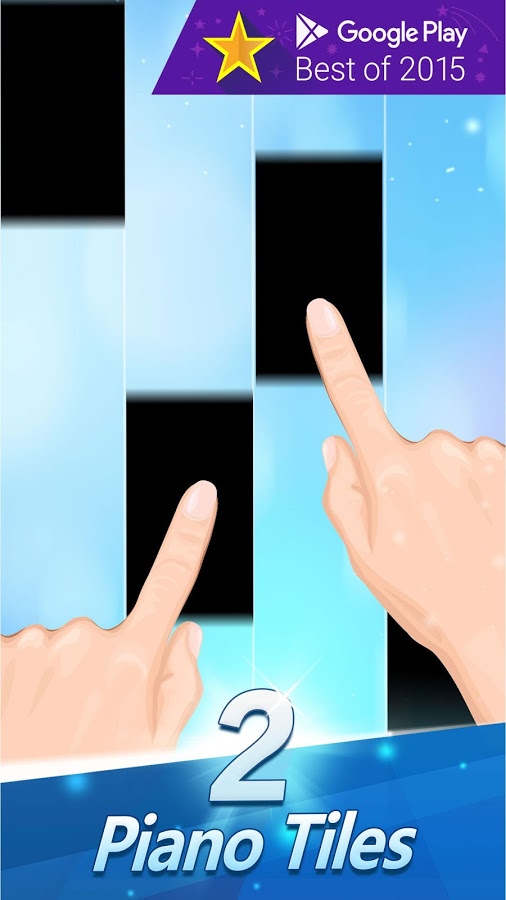
Piano Tiles 2 (Don’t Tap 2)

If you want a challenge with some fun music that you create, then Piano Tiles 2 is your game. It’s easy to get started and the rules are real simple, hit the black tiles as they fall down the screen. This updated version of Piano Tiles (Don’t Tap the White Tile) allows you to play against other players around the globe in Hall mode. You can start competing against others the minute you start playing.

You can make a perfect harmony if you master the rhythm. The game has a ton of fun songs like Jingle Bells or Happy New Year, as well as traditional classical songs from Beethoven, Mozart, Tchaikovsky and many more. You can play it without sound, but where’s the fun in that?
Source: androidpit.com

Thursday, February 18, 2016

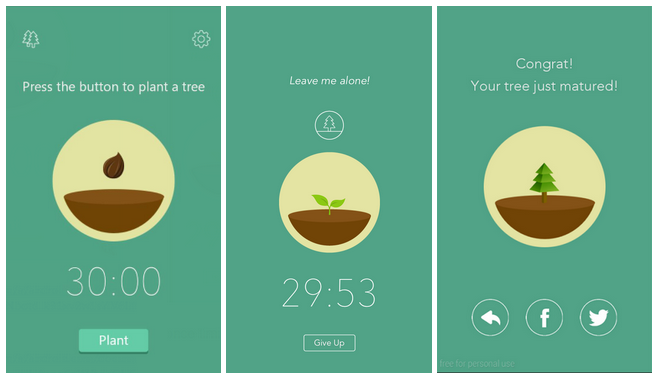
Forest

The idea behind Forest is to use your smartphone less. You set a timer, and if you leave your phone alone, a little cartoon tree grows on the screen. Get tempted by Facebook or play Candy Crush, and you end up with a dead stick.


Your daily forests can be compared, and each successfully grown tree nets you some coins. These can be spent on new tree types to grow. Alternatively, if you’re socially inclined and have amassed thousands of coins (which takes weeks of dedication), use them to donate to tree-growing projects around the world.
According to stuff.tv


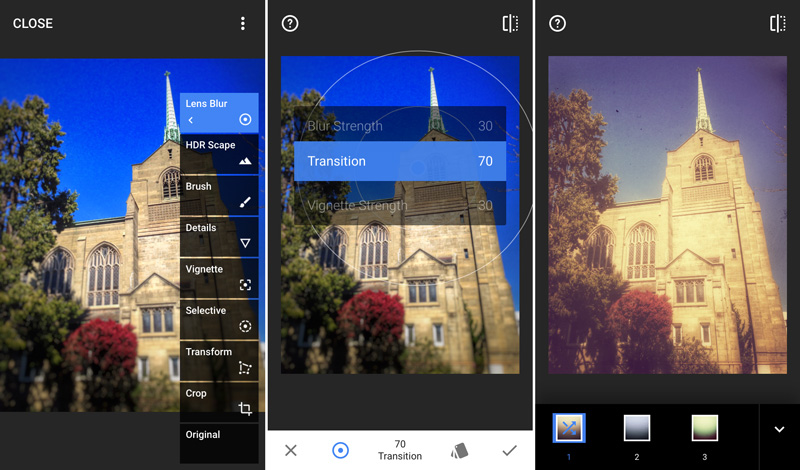
Snapseed

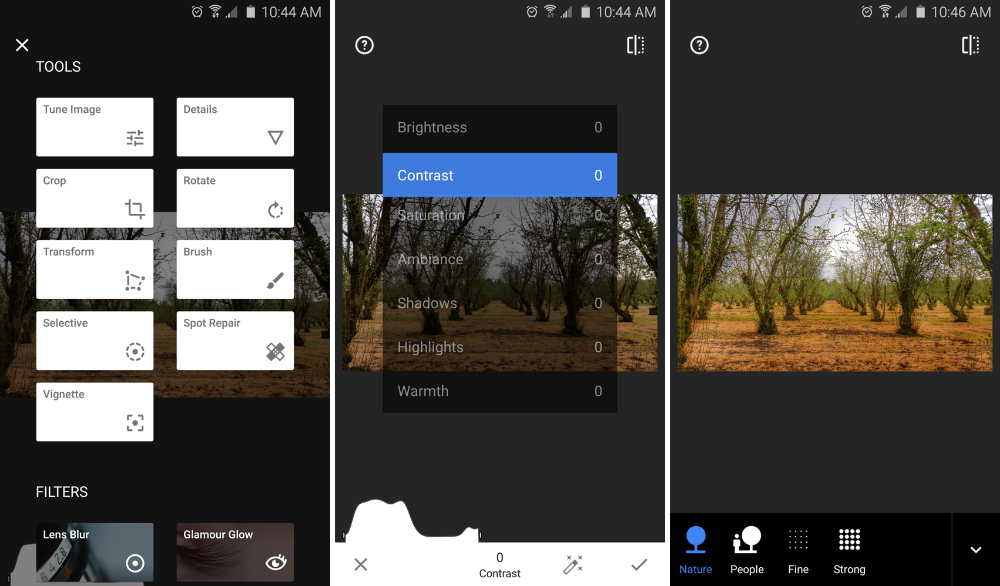
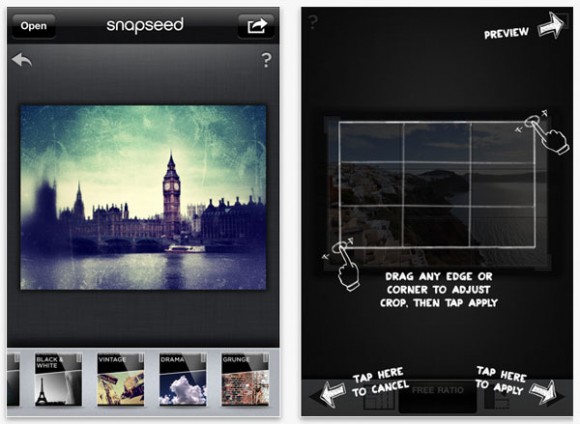
We’ve long had a bit of a soft spot for Snapseed. Its intuitive interface was one of the most tactile on Android; moreover, the huge range of filters and effects made it perfect for all manner of photographic manipulation and fine-tuning. With 2015’s major revamp, Snapseed became further entrenched in must-have territory.

The star of the upgrade was Stacks, which converts each filter you apply into an editable layer. This means each effect can later be tweaked, rather than being burned into your image when applied, thereby providing even more scope for experimentation.

According to stuff.tv


Wednesday, February 17, 2016

Lumosity

Challenge your Memory, Attention, and more. Used by over 70 million people worldwide, Lumosity combines 25+ cognitive games into a daily training program that challenges your brain. Games adapt to your unique performances — helping you stay challenged in a wide variety of cognitive tasks.
THE STORY BEHIND LUMOSITY

We’re a team of scientists and designers exploring new ways to challenge the brain and push cognitive research forward.

Our scientists take common cognitive and neuropsychological tasks, or design entirely new, experimental challenges. Working with experienced designers, they transform these tasks into fun games that challenge core cognitive skills.


We also work with 40+ university researchers worldwide. We give qualified researchers free access to Lumosity training and tools — helping them investigate new areas in cognition.

As we learn more about the possibilities of brain training, we invite you to train with us, and join us in our mission to advance the understanding of human cognition.
According to androidpit.com

Tuesday, February 16, 2016

Translate voice

Translate voice only has a few functions but it does voice recognition the best of any of the apps we could find. You can say a word or read an entire paragraph and the app keeps up with you. This is dependent on your smartphone's voice recognition capabilities, so results could vary.

This app is especially helpful for when you are in social situations where typing is impractical. Often, when we need to communicate a complicated idea with a language barrier, we are unable to get the idea across. With Translate voice you can say these difficult sentences and then play them aloud to the person in their language.

Translate voice is limited by its number of usable functions. If you need something that is more thorough in its translation services, you should probably try one of the other apps down this list.
According to androidpit.com

iTranslate: translation app for accuracy

If you need a sentence or two translated then iTranslate will give you the most accurate results. It is equipped to handle over 90 languages, and though this is just a small fraction of the total languages in the world, it will be useful in the majority of translation situations you may find yourself in.

iTranslate is the best for typing or copying text. The swipe feature quickly copies blocks of text and translates them effortlessly. If you find something in your translation that you may need later, you can save it in your favorites.

While the voice recognition is not the best, it does have an amazing audio function that can read back translations in different dialects. For instance, you can choose between British, American and Australian English. You can also have the text read back to you more slowly.
According to androidpit.com

PONS: Translation app for individual words

PONS Online Dictionary is a dictionary with translator functions. That's why it is able to give you in-depth descriptions of words. Words don't just have one meaning and PONS gives you a few options on a simple interface. For example, the word 'current' could mean 'electrical current' or 'new' and could appear as a noun, verb, adjective or adverb. You need to find out which way the word is meant to be used in order to get the right translation and PONS helps you decide.

PONS is also great for teaching you phrases to use with your individual words and translating them so you can use them properly in context. For instance, a suggested phrase for 'current' is 'this version is current,' which is immediately translated on the other half of the screen. This gives you a better understanding of the word in both languages. 
According to androidpit.com

Cortana


Cortana recently exited its public Android beta and the full version is now here. This is the Microsoft equivalent of Google Now and Siri, which seeks to assist you in your daily life. Cortana allows you to set up reminders, track flights and packages, ask questions, and you can even set up quick replies from your PC if you miss a call on your phone.

It integrates with Windows computers in a way which Google Now and Siri can't, but this is probably the only area where it provides a credible improvement to them. Still, it’s still early days for Cortana on Android, so if you’re interested, check it out at the link below.  
According to androidpit.com

fact of life | elephant facts | tiger facts | reviews | upcoming video games | new games coming out